 Ultra Cleaner
How to Mass Delete Emails on iPhone
Ten thousand unread emails didn't happen overnight — promotions, social notifications and newsletters just never stopped. Deleting them one screen at a time in the Mail or Gmail app takes hours. The fast way is to delete by category: wipe out Promotions and Social in bulk while your real mail stays untouched.
Last updated: July 14, 2026
The built-in ways (and where they fall short)
Apple Mail app
- Open a mailbox, tap Edit → Select All → Trash.
The catch: "Select All" only grabs the messages loaded on screen, folders must be cleaned one at a time, and there's no concept of "just the promotional junk."
Gmail app
You can tap sender avatars to multi-select, but only ~50 messages per screen. Gmail's powerful "select all conversations matching this search" trick exists only on desktop web — not on the phone.
The fast way: clean by category with Ultra Cleaner
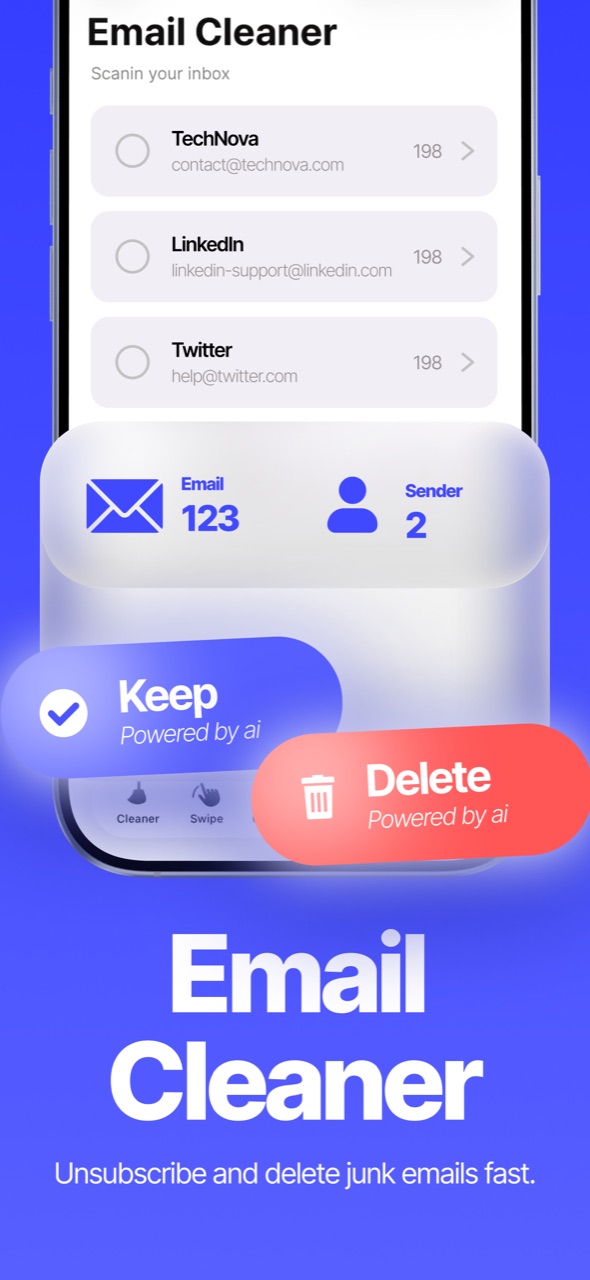
- Download Ultra Cleaner and open Email Cleaner.
- Connect your Gmail account — sign-in happens through Google's own secure page; your password is never shown to or stored by the app.
- Your inbox is grouped into categories — Promotions, Social, Updates — each with its total count.
- Open a category, tap Select All (or pick individual senders), and use filters to protect emails containing keywords you care about.
- Tap Delete. Cleaned messages move to Gmail's Trash, where they're recoverable for 30 days before Gmail purges them automatically.
Why bother? Storage and sanity
Years of newsletters quietly consume your Google storage quota (shared with Google Photos and Drive), and a five-digit unread badge buries the mail that matters. A category-level cleanout typically removes thousands of messages in a few minutes.
FAQ
Is deleting permanent?
No — messages go to Gmail's Trash and stay recoverable for 30 days before Gmail auto-purges them.
Which email providers are supported?
Gmail. Sign-in uses Google's official secure OAuth page — the app never sees your password, and you can disconnect anytime.
Can I protect important emails from bulk deletion?
Yes — filters let you exclude emails matching keywords or senders before you delete a category.